

Can I migrate my Active Directory without affecting my users?
Can I migrate my Active Directory without affecting my users?
10 March 2026You can keep disruption low, but users will notice a little. DirSync keeps accounts, groups and passwords aligned in both directories, so users keep working in the source while you prepare the target.
When a device moves, PowerSyncPro Migration Agent keeps the Windows profile, files and settings, and resets Outlook, Teams, OneDrive, OneNote and the Office apps for the new account. The user restarts, signs in with the target account and sets up a new Windows Hello PIN.
A few items need attention. Linked SharePoint and Teams libraries need re-syncing, extra mailboxes and PST files need re-adding, and saved browser passwords do not carry over. Use the Prevent Login feature and test representative devices first, so you can brief users on what to expect. (PowerSyncPro does not migrate data)
Latest from Blog

GCC High migration: identity and device migration
21/10/2026GCC High migration: how to move identities and Windows workstations securely
Learn More →
Why it's time to replace FIM & MIM
04/08/2026As MIM approaches end-of-support, we ask what is the path forward for identity management? For decades, Microsoft Identi...
Learn More →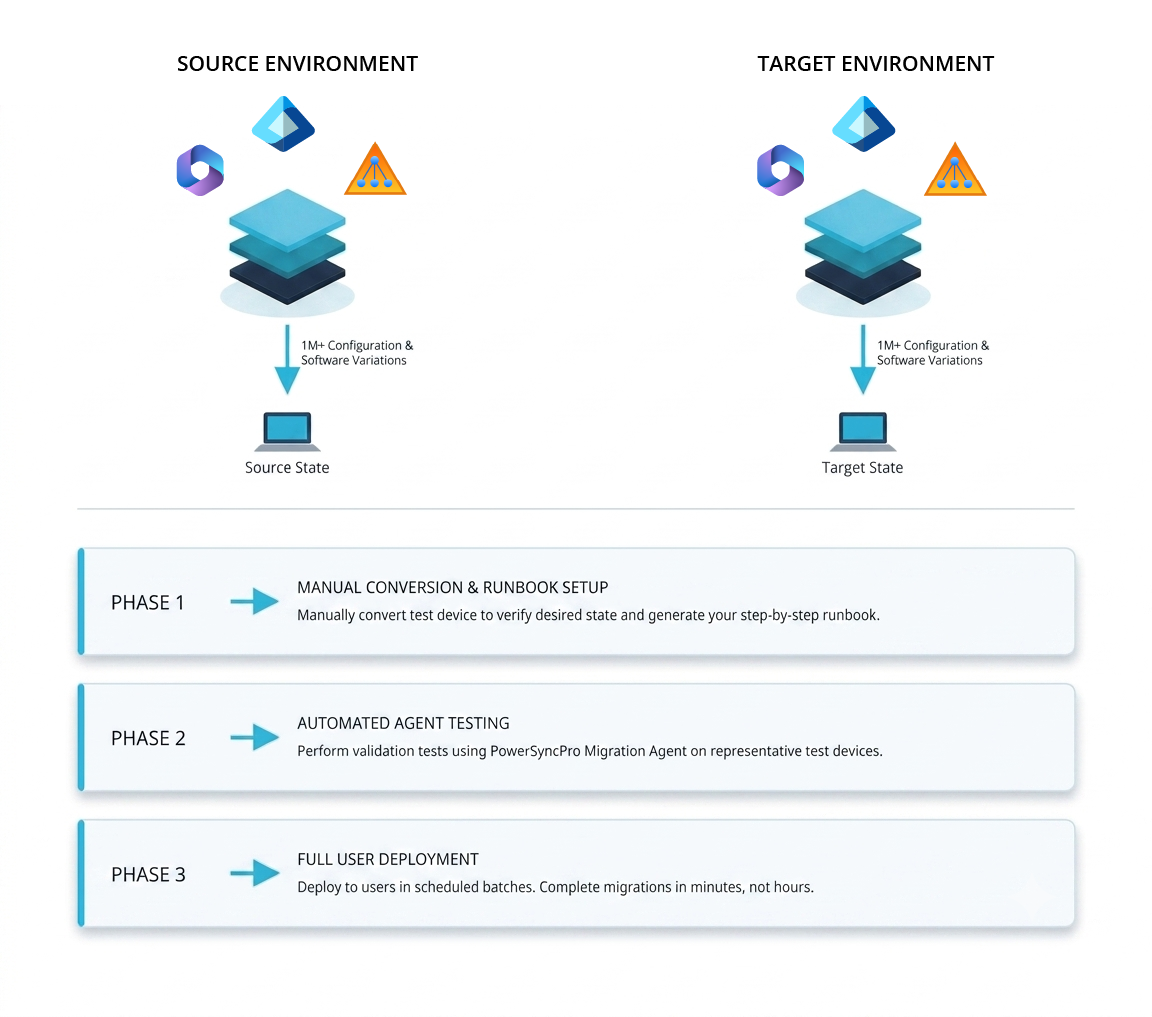
How to make your Windows migration a success
29/07/2026Everything you need to know before your next Windows migration project. Whether you're planning a tenant-to-tenant migra...
Learn More →