

What is an Active Directory migration?
What is an Active Directory migration?
10 March 2026If your organisation runs Windows Server or Microsoft 365, Active Directory (AD) or Microsoft Entra ID (formerly Azure AD) almost certainly manages your users’ identities, domains and devices. The directory links each user to their computer, applications, file shares, printers and mailbox, and it controls what they can reach.
An Active Directory migration moves those identities and devices from one directory to another. The most common reasons are:
- Mergers and acquisitions, where the buyer brings the acquired company into its own domain or tenant.
- Divestitures, where a business unit moves out into a new, standalone directory.
- Consolidation, where several domains or forests collapse into one to cut cost and complexity.
- Cloud moves, from on-premises AD to cloud-only identity in Microsoft Entra ID, or between Microsoft 365 tenants.
What a migration involves
Identity migration creates or matches accounts in the target and keeps attributes, group memberships, passwords and SID history aligned. Users commonly keep access to their resources while both directories run side by side.
Device migration moves each Windows device to the target domain or tenant. Done the traditional way, the device gets a new, empty profile or a full wipe (fresh start) and rebuild, and the user loses their settings. Not with PowerSyncPro!
Depending on the size and complexity of your directories, a migration can run for months and involve thousands of objects, several domains and a long period of coexistence.
How PowerSyncPro helps
PowerSyncPro DirSync scales to as many source and target domains, forests and tenants as you need. It synchronises users, groups and contacts between Active Directory, Microsoft Entra ID and Google Workspace (as a source), and its What-If reports show every change before anything is written after a configuration change. Your identities are in sync before you move a single device.
PowerSyncPro Migration Agent disjoins each device from the source and joins it to the target Active Directory or Microsoft Entra ID, without reimaging. It re-permissions the existing Windows profile and resets Outlook, Teams, OneDrive for Business, OneNote, the Office apps and the primary Edge profile for the new account, so users carry on with the desktop they know.
On average, a device migrates in about 15 minutes. See what affects migration time. That makes a big bang migration over a single weekend realistic, even for thousands of users. You can also move in scheduled waves. Either way, users get back to work quickly, the service desk avoids a wave of rebuild requests, and you shorten the coexistence period with all the issues it brings.
Latest from Blog

GCC High migration: identity and device migration
21/10/2026GCC High migration: how to move identities and Windows workstations securely
Learn More →
Why it's time to replace FIM & MIM
04/08/2026As MIM approaches end-of-support, we ask what is the path forward for identity management? For decades, Microsoft Identi...
Learn More →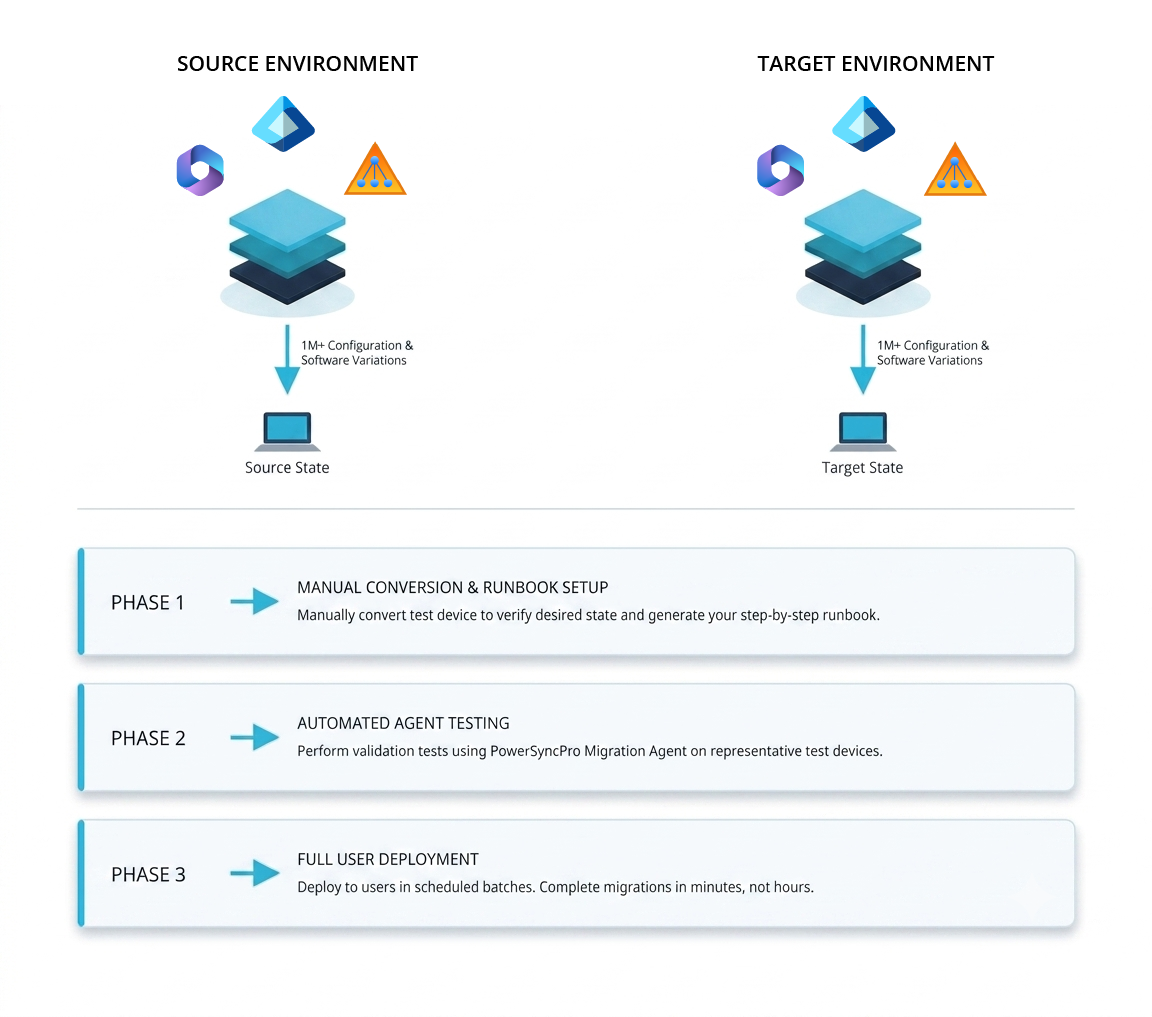
How to make your Windows migration a success
29/07/2026Everything you need to know before your next Windows migration project. Whether you're planning a tenant-to-tenant migra...
Learn More →